
Neo Downloader Plus 作者: neosubhamoy
Neo Downloader Plus Browser Integration
34 位使用者34 位使用者
擴充套件後設資料
畫面擷圖
關於此擴充套件
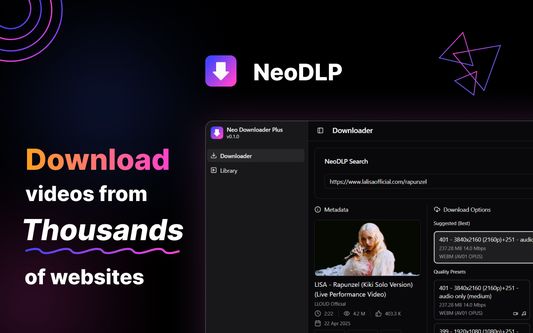
NeoDLP Extension integrates NeoDLP (Neo Downloader Plus) App with your Browser for Seamless User-Experiance!
🌟 Features:
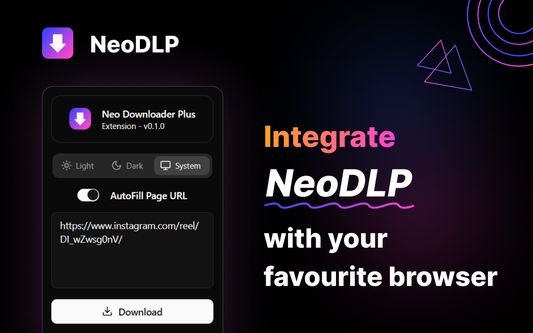
- Tab URL Detection (with Autofill)
- Media (Video/Audio) Source Detection (via Right-Click Context Menu)
- Quick Search (via pressing Alt+Shift+Q)
- Selective and Link Search (via Right-Click Context Menu)
- 100% FREE and Open-Sourced Project
⚠️ IMPORTANT: This Extension will only work if NeoDLP App is installed and running in your system! Download NeoDLP App from one of the links below:
https://neodlp.neosubhamoy.com
https://github.com/neosubhamoy/neodlp/releases/latest
✅ How To Use:
1. Install the Extension and NeoDLP App.
2. Click on the 'Extensions' Icon and 'Pin' the NeoDLP Extension to 'Toolbar'.
3. Visit the site from where you want to download the video/audio.
4. Click on the pinned Extension Icon and click on the 'Search' button -OR- simply press 'Alt+Shift+Q' to quickly search without opening the extension window.
🌟 Features:
- Tab URL Detection (with Autofill)
- Media (Video/Audio) Source Detection (via Right-Click Context Menu)
- Quick Search (via pressing Alt+Shift+Q)
- Selective and Link Search (via Right-Click Context Menu)
- 100% FREE and Open-Sourced Project
⚠️ IMPORTANT: This Extension will only work if NeoDLP App is installed and running in your system! Download NeoDLP App from one of the links below:
https://neodlp.neosubhamoy.com
https://github.com/neosubhamoy/neodlp/releases/latest
✅ How To Use:
1. Install the Extension and NeoDLP App.
2. Click on the 'Extensions' Icon and 'Pin' the NeoDLP Extension to 'Toolbar'.
3. Visit the site from where you want to download the video/audio.
4. Click on the pinned Extension Icon and click on the 'Search' button -OR- simply press 'Alt+Shift+Q' to quickly search without opening the extension window.
由 1 位評論者給出 0 分
權限與資料
更多資訊