
Full Page Screen Capture — FireShot bởi TruePage
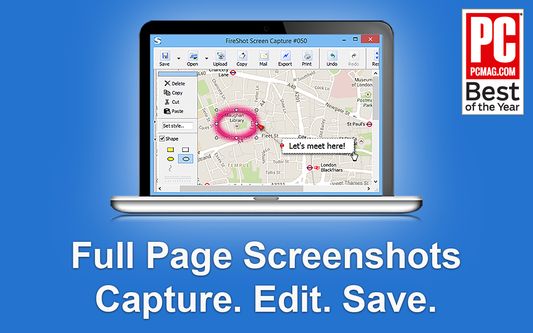
FireShot is a Full page screen capture tool that also captures Visible area, or precise Selection even that extend beyond the screen — unlike the standard tool. Fast, simple, private, offline, reliable for browsing, research, work, and documentation.
172.089 người dùng172.089 người dùng
Siêu dữ liệu mở rộng
Ảnh chụp màn hình


Về tiện ích mở rộng này
FireShot helps you:
• Save receipts, tickets, and order confirmations
• Capture long articles, research, and documentation
• Share design reviews, bug reports, and product ideas
• Keep permanent records of web pages that may change or disappear
Performs full page screen capture. Saves screenshots to PDF with live links and text* or images.
🔒 Instant screenshots are stored locally, and never leave your computer, so it's 100% safe for storing a sensitive information. FireShot can work offline.
No spyware and unnecessary permissions - you're just in a couple of clicks away from an ideal screenshot.
🏆 Awarded as "The Best Free Google Chrome Extension" by PCMAG․COM
Top 7️⃣ key features:
Why users choose FireShot over built-in screenshot tools
An upgrade is available. Activate it directly from the menu and unlock the following functionality:
Get FireShot for the other browsers:
Chrome and chromium-based: https://chrome.google.com/webstore/detail/capture-webpage-screensho/mcbpblocgmgfnpjjppndjkmgjaogfceg
Edge: https://microsoftedge.microsoft.com/addons/detail/take-webpage-screenshots-/fcbmiimfkmkkkffjlopcpdlgclncnknm
Safari: https://apps.apple.com/app/full-page-screen-capture/id1541862561
(*) FireShot Pro - getfireshot․com
• Save receipts, tickets, and order confirmations
• Capture long articles, research, and documentation
• Share design reviews, bug reports, and product ideas
• Keep permanent records of web pages that may change or disappear
Performs full page screen capture. Saves screenshots to PDF with live links and text* or images.
🔒 Instant screenshots are stored locally, and never leave your computer, so it's 100% safe for storing a sensitive information. FireShot can work offline.
No spyware and unnecessary permissions - you're just in a couple of clicks away from an ideal screenshot.
🏆 Awarded as "The Best Free Google Chrome Extension" by PCMAG․COM
Top 7️⃣ key features:
- Full page screen capture — entire page, visible area, or a scrolling selection
- Save as PDF with clickable links, PNG, or JPEG
- Automatically capture all tabs to PDF or image 🔥
- Provide a list of URLs for an automatic batch capturing process 🔥
- Send screenshots to GMail or clipboard or Print
- Select and capture web page regions with auto-scrolling including off-screen content
- Lightweight screen capture extension with no ads and access to your personal data
Why users choose FireShot over built-in screenshot tools
- True full-page capture – no manual scrolling, stitching, or extra software.
- Better than Print Screen & Snipping Tool for websites – it captures what doesn’t fit on your monitor.
- Professional PDF export – ideal for reports, legal records, and documentation.
- Trusted website screenshot tool – installed by millions of users worldwide.
An upgrade is available. Activate it directly from the menu and unlock the following functionality:
- Professional PDFs: Multi-page support with custom headers, footers, and watermarks.
- Smart Editor: Annotate, blur sensitive info, and highlight key areas instantly.
- High-Quality Export: Unlimited captures with zero ads and crisp resolution.
Get FireShot for the other browsers:
Chrome and chromium-based: https://chrome.google.com/webstore/detail/capture-webpage-screensho/mcbpblocgmgfnpjjppndjkmgjaogfceg
Edge: https://microsoftedge.microsoft.com/addons/detail/take-webpage-screenshots-/fcbmiimfkmkkkffjlopcpdlgclncnknm
Safari: https://apps.apple.com/app/full-page-screen-capture/id1541862561
(*) FireShot Pro - getfireshot․com
Được xếp hạng 4,6 (bởi 1 người dùng)
Quyền hạn và dữ liệu
Quyền hạn bắt buộc:
- Giao tiếp với các ứng dụng khác bên ngoài Firefox
- Tải xuống các tập tin và chỉnh sửa lịch sử tải về của trình duyệt
- Truy cập dữ liệu của bạn trên mọi trang web
Quyền hạn tùy chọn:
- Nhập dữ liệu vào bộ nhớ tạm
- Truy cập các thẻ trên trình duyệt
Thêm thông tin
- Liên kết tiện ích
- Phiên bản
- 1.12.18
- Kích cỡ
- 10,95 MB
- Cập nhật gần nhất
- 3 năm trước (5 Thg 06 2023)
- Thể loại có liên quan
- Giấy phép
- Custom License
- Chính sách riêng tư
- Đọc chính sách riêng tư của tiện ích này
- Lịch sử các phiên bản
- Thêm vào bộ sưu tập
We appreciate your engagement. For quick and effective help with any technical issues, please use our official support forum:
https://getfireshot.com/sup
This helps us keep discussions here focused on the FREE version of FireShot.
Thank you for your cooperation!