Youtube Custom Speed от nizioleque
Change the speed of Youtube videos to whatever you like, with customizable presets and keyboard shortcuts!
1 758 пользователей1 758 пользователей
Метаданные расширения
Скриншоты
Об этом расширении
Youtube Custom Speed lets you play any Youtube video at any speed you like, from 0.0125x to 16x!
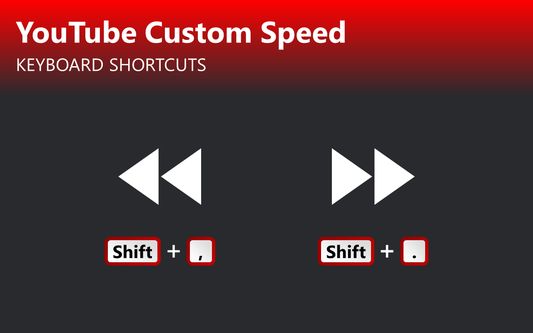
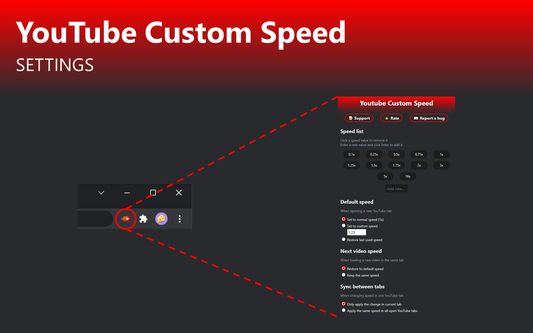
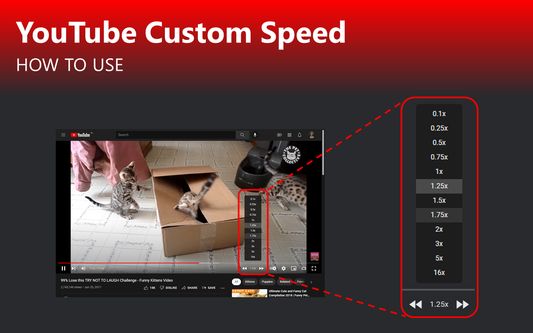
Use the options menu to set your preferred playback rate values. Then, change the speed using buttons at the bottom of the video. It also cooperates with the default Youtube keyboard shortcuts - Shift + , and Shift + .
If you experience any issues, please feel free to email me with a bug report.
Use the options menu to set your preferred playback rate values. Then, change the speed using buttons at the bottom of the video. It also cooperates with the default Youtube keyboard shortcuts - Shift + , and Shift + .
If you experience any issues, please feel free to email me with a bug report.
Оценено 26 рецензентами на 4,7
Разрешения и данные
Больше сведений
- Ссылки дополнения
- Версия
- 1.10
- Размер
- 33,85 КБ
- Последнее обновление
- месяц назад (23 окт. 2025 г.)
- Связанные категории
- Лицензия
- Публичная лицензия Mozilla 2.0
- История версий
- Добавить в подборку
Разработчик этого расширения просит вас помочь поддержать его дальнейшее развитие, внеся небольшое пожертвование.