Youtube Controller Hidden de SuperJohn
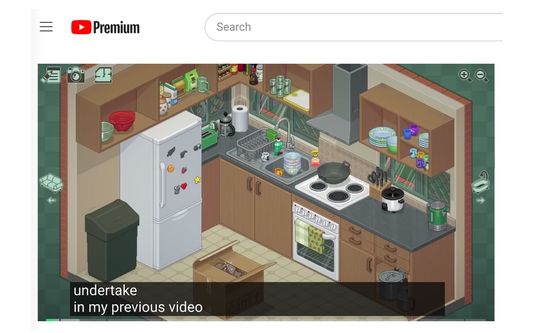
Youtube Controller hidden & Caption move freely 1. The playback progress bar can be kept visible continuously by pressing Alt + J 2. You can hide/show the playback controller UI and the progress bar using Alt + K, L, H
19 utilizatori19 utilizatori
Metadate extensie
Capturi de ecran
Despre această extensie
Youtube Controller hidden & Caption move freely
A free YouTube plugin for hiding/showing player buttons, keeping the playback progress bar visible, and more. It's completely free and safe.
1. The playback progress bar can be kept visible continuously by pressing Alt + J
2. You can hide/show the playback controller UI and the progress bar using Alt + K, L, H
3. Subtitles can be freely moved and locked in position.
4. I don't like these default shortcuts. This configuration is designed to avoid key conflicts. You can also reconfigure the shortcuts in "about:addons" -> ⚙️ Settings Gear -> Manage Extension Shortcuts
Feel free to use this free plugin, and have a great time playing!
Super John
A free YouTube plugin for hiding/showing player buttons, keeping the playback progress bar visible, and more. It's completely free and safe.
1. The playback progress bar can be kept visible continuously by pressing Alt + J
2. You can hide/show the playback controller UI and the progress bar using Alt + K, L, H
3. Subtitles can be freely moved and locked in position.
4. I don't like these default shortcuts. This configuration is designed to avoid key conflicts. You can also reconfigure the shortcuts in "about:addons" -> ⚙️ Settings Gear -> Manage Extension Shortcuts
Feel free to use this free plugin, and have a great time playing!
Super John
Super John
Evaluat cu 0 de către 0 recenzori
Permisiuni și date
Mai multe informații
- Linkurile suplimentului
- Versiune
- 1.0.3
- Mărime
- 29,92 KB
- Ultima actualizare
- 2 ani în urmă (20 sept. 2023)
- Categorii conexe
- Istoricul versiunilor
- Etichete
- Adaugă în colecție