Bulk Select Google Photos de App Alchemist
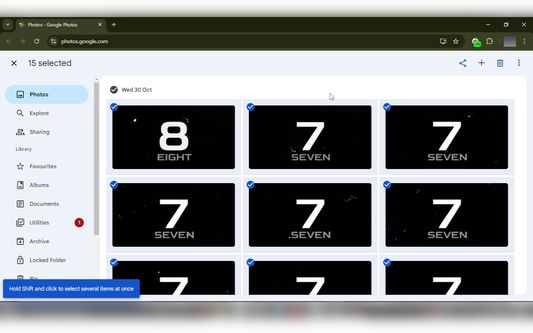
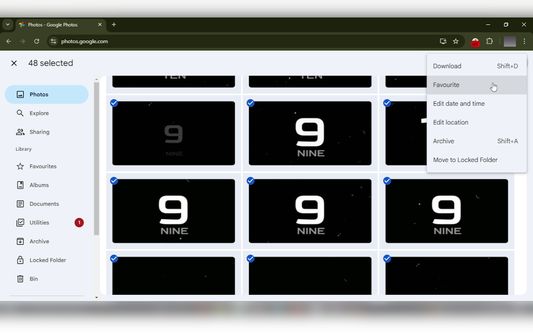
Select multiple photos on Google Photos with just one click and then bulk delete, download, archive, share etc.
Disponibil pe Firefox pentru Android™Disponibil pe Firefox pentru Android™
260 de utilizatori260 de utilizatori
Metadate extensie
Capturi de ecran
Despre această extensie
Bulk Select Google Photos is a powerful extension that enhances your experience on Google Photos by allowing you to easily select multiple photos at once for efficient management.
Note: On Android, you need to access the Google Photos website in desktop mode for the extension to work correctly.
Key Features:
* Bulk Selection: Quickly select multiple photos with a single click.
* Easy Management: Easily download, archive, share or delete google photos.
* User-Friendly Interface: Provides visual feedback by displaying an 'ON' badge during photo selection and an 'OFF' badge when not.
* Privacy: Works 100% locally and only on photos.google.com. Nothing leaves your browser.
How to Use:
1. Open Google Photos: Navigate to photos.google.com in your browser.
2. Click the Extension Icon: Click on the Bulk Select Google Photos extension icon to start selecting photos.
3. Scroll Through Your Photos: As you scroll, the extension will automatically select photos for you.
4. Pause Selection: Click the extension icon again to pause the selection process.
5. Resume Selection: Click the icon once more to resume selecting photos.
Note: On Android, you need to access the Google Photos website in desktop mode for the extension to work correctly.
Key Features:
* Bulk Selection: Quickly select multiple photos with a single click.
* Easy Management: Easily download, archive, share or delete google photos.
* User-Friendly Interface: Provides visual feedback by displaying an 'ON' badge during photo selection and an 'OFF' badge when not.
* Privacy: Works 100% locally and only on photos.google.com. Nothing leaves your browser.
How to Use:
1. Open Google Photos: Navigate to photos.google.com in your browser.
2. Click the Extension Icon: Click on the Bulk Select Google Photos extension icon to start selecting photos.
3. Scroll Through Your Photos: As you scroll, the extension will automatically select photos for you.
4. Pause Selection: Click the extension icon again to pause the selection process.
5. Resume Selection: Click the icon once more to resume selecting photos.
Evaluat cu 5 de către 3 recenzori
Permisiuni și date
Mai multe informații
- Linkurile suplimentului
- Versiune
- 1.40
- Mărime
- 44,73 KB
- Ultima actualizare
- 16 zile în urmă (21 nov. 2025)
- Categorii conexe
- Licență
- Toate drepturile rezervate
- Istoricul versiunilor
- Adaugă în colecție
Dezvoltatorul acestei extensii îți solicită să contribui pentru sprijinirea dezvoltării continue printr-o mică donație.