Blur. The Image and Video blur extension de Fhazer Systems
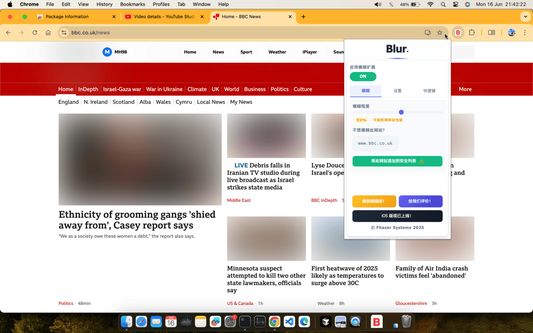
A chrome extension that blur all images on a page, for when you want to be discreet or don't want to look at certain images.
488 de utilizatori488 de utilizatori
Metadate extensie
Capturi de ecran
Despre această extensie
Celebrating 100,000 installs, we've updated your favourite browser extension with a new look and feel! Here's to many more years of blurring!
Watch this space as we continue to roll out new and exciting changes.
Happy Blurring!
The Blur Team.
We’ve all had those times when we've 'accidentally' searched for something online and ended up seeing images we didn't want to see.
Or maybe you’ve experienced browsing Facebook or Instagram at work or in a public place, only to catch someone glancing at your screen.
Or perhaps you just want to read an article without being distracted by all the images and videos.
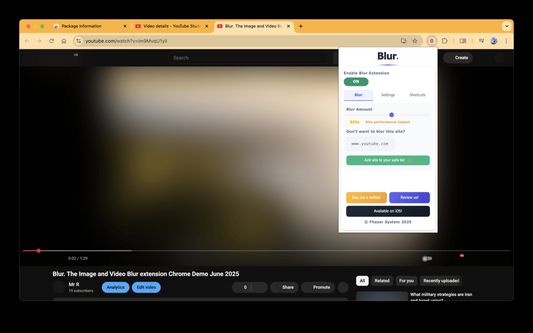
Well, now you can. This add-on blurs all images and videos on a webpage, so you can concentrate on what’s important. You can choose to view the content or not.
To see or not to see? The choice is yours.
Shortcuts:
ALT + K: Blur or unblur an image or video when hovering over it
ALT + L: To quickly enable or disable the extension
Language Support:
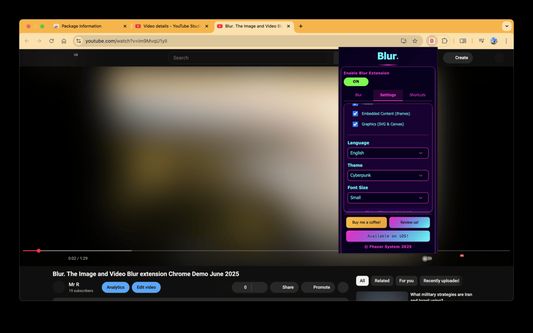
We now support over 5 languages including English, Mandarin, Russian, Arabic, Bangla, Hindi and Urdu. Simply change your preferences via the settings tab.
Themes:
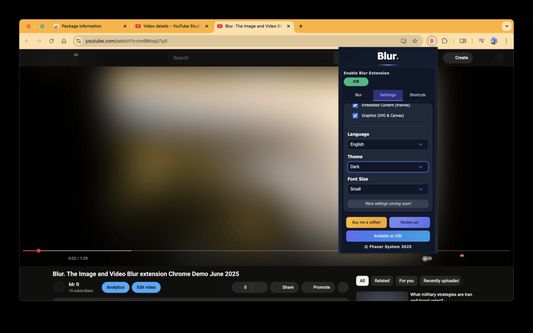
Change between light and dark theme or choose the system default.
Two additional fun themes have been added, install to find out what they are.
Allow list:
You can also white list websites, simply open the extension and add the site to your allow list!
Powerusers:
Power users can choose to unblur images, video or iframes. Also optionally blur shadow DOM elements.
Watch this space as we continue to roll out new and exciting changes.
Happy Blurring!
The Blur Team.
We’ve all had those times when we've 'accidentally' searched for something online and ended up seeing images we didn't want to see.
Or maybe you’ve experienced browsing Facebook or Instagram at work or in a public place, only to catch someone glancing at your screen.
Or perhaps you just want to read an article without being distracted by all the images and videos.
Well, now you can. This add-on blurs all images and videos on a webpage, so you can concentrate on what’s important. You can choose to view the content or not.
To see or not to see? The choice is yours.
Shortcuts:
ALT + K: Blur or unblur an image or video when hovering over it
ALT + L: To quickly enable or disable the extension
Language Support:
We now support over 5 languages including English, Mandarin, Russian, Arabic, Bangla, Hindi and Urdu. Simply change your preferences via the settings tab.
Themes:
Change between light and dark theme or choose the system default.
Two additional fun themes have been added, install to find out what they are.
Allow list:
You can also white list websites, simply open the extension and add the site to your allow list!
Powerusers:
Power users can choose to unblur images, video or iframes. Also optionally blur shadow DOM elements.
Evaluat cu 4,3 de către 10 recenzori
Permisiuni și date
Mai multe informații
- Linkurile suplimentului
- Versiune
- 6.0.3
- Mărime
- 84,7 KB
- Ultima actualizare
- 6 luni în urmă (20 iun. 2025)
- Categorii conexe
- Licență
- Toate drepturile rezervate
- Istoricul versiunilor
- Adaugă în colecție
Dezvoltatorul acestei extensii îți solicită să contribui pentru sprijinirea dezvoltării continue printr-o mică donație.