
Image Downloader Pro: Save all Images per PG
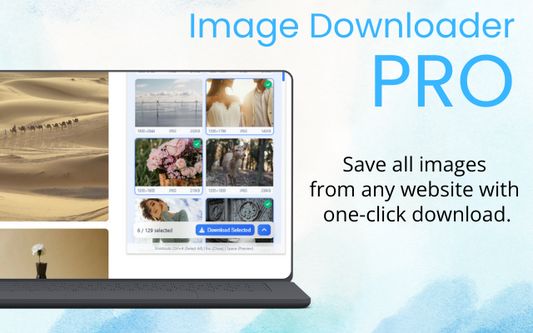
Download all images from any website in seconds with a fast and easy bulk image downloader and image saver.
30 Usatores30 Usatores
Metadatos del extension
Capturas de schermo


A proposito de iste extension
Download all images from any website in seconds with a fast and easy bulk image downloader and image saver.
Image Downloader Pro lets you filter, preview, favorite, organize and save images quickly - all in one smart, powerful tool.
💡 Why choose Image Downloader Pro?
‐ One-click bulk image saver - download all images instantly
‐ Filter by size, type, dimensions (JPG, PNG, GIF, SVG, BMP and more)
‐ Full Mode - open results in a full browser tab for easier navigation and more features
‐ Smart preview - see before you save
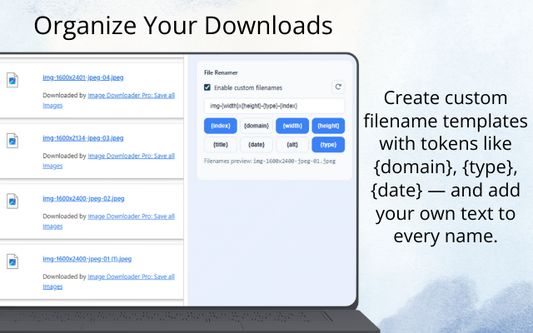
‐ Custom file renamer - create your own filename templates
‐ Hide duplicate images - keep only the best version
‐ Find visually similar images - group and compare quickly
‐ Favorites - save selected images and access them anytime across websites
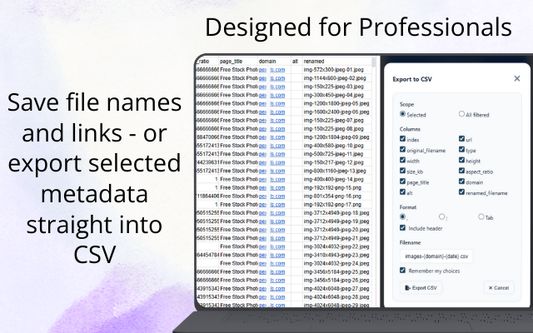
‐ Copy links & export - grab image URLs or export data to CSV
‐ Works in both popup and side panel for maximum convenience
‐ Light & Dark Mode - choose your preferred theme
Perfect for designers, marketers, researchers and developers who need to collect and organize images fast.
Stop saving images one by one - speed up your workflow today with Image Downloader Pro.
Image Downloader Pro lets you filter, preview, favorite, organize and save images quickly - all in one smart, powerful tool.
💡 Why choose Image Downloader Pro?
‐ One-click bulk image saver - download all images instantly
‐ Filter by size, type, dimensions (JPG, PNG, GIF, SVG, BMP and more)
‐ Full Mode - open results in a full browser tab for easier navigation and more features
‐ Smart preview - see before you save
‐ Custom file renamer - create your own filename templates
‐ Hide duplicate images - keep only the best version
‐ Find visually similar images - group and compare quickly
‐ Favorites - save selected images and access them anytime across websites
‐ Copy links & export - grab image URLs or export data to CSV
‐ Works in both popup and side panel for maximum convenience
‐ Light & Dark Mode - choose your preferred theme
Perfect for designers, marketers, researchers and developers who need to collect and organize images fast.
Stop saving images one by one - speed up your workflow today with Image Downloader Pro.
Valutate 5 per 1 revisor
Permissiones e datos
Permissiones necessari:
- Discargar files e leger e modificar le chronologia de discargamentos del navigator
- Accede al schedas del navigator
Permissiones optional:
- Acceder a tu datos pro tote le sitos web
Plus de informationes
- Ligamines del additivo
- Version
- 1.0.7
- Dimension
- 752,74 KB
- Ultime actualisation
- 14 zile în urmă (23 nov. 2025)
- Categorias associate
- Licentia
- Tote le derectos es reservate
- Politica de confidentialitate
- Lege le politica de confidentialitate pro iste additivo
- Historia de versiones
- Etiquettas
- Adder al collection
Includes filters, preview, and custom filenames.
Side Panel option works only in Chromium browsers (Chrome, Edge, Opera).
In Firefox this option is disabled.