Popup window od Ett Chung
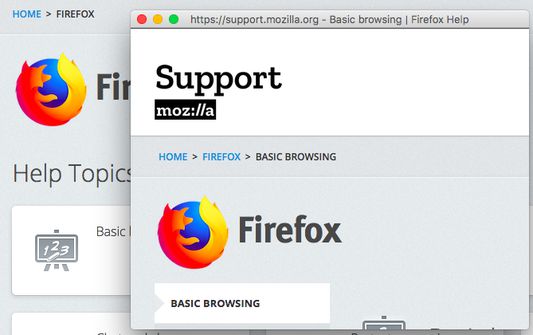
Move tab to standalone window, without tabs bar, navigation bar and bookmark bar UI.
3.515 korisnika3.515 korisnika
Metapodaci proširenja
Snimke ekrana
Informacije o ovom proširenju
Move tab to standalone window, without tabs bar, navigation bar and bookmark bar UI.
Usage:
1. Right click on link, click [Open this link in pop-up window] => po-pup link to standalone window.
2. Right click on page, click [Move current page to pop-up window] => move current page to standalone window.
3. Click on toolbar button => move current page to standalone window.
4. More preferences in add-on setting page.
Usage:
1. Right click on link, click [Open this link in pop-up window] => po-pup link to standalone window.
2. Right click on page, click [Move current page to pop-up window] => move current page to standalone window.
3. Click on toolbar button => move current page to standalone window.
4. More preferences in add-on setting page.
Ocjena 4,6 od strane 88 korisnika
Daljnje informacije
- Poveznice dodatka
- Verzija
- 0.1.3
- Veličina
- 17,32 KB
- Zadnje aktualiziranje
- prije 3 godine (20. svi. 2023)
- Licenca
- MIT licenca
- Povijest verzija
- Dodaj u zbirku