
Full Page Screen Capture — FireShot od TruePage
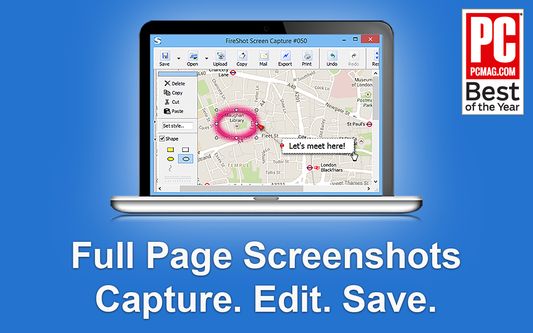
FireShot is a Full page screen capture tool that also captures Visible area, or precise Selection even that extend beyond the screen — unlike the standard tool. Fast, simple, private, offline, reliable for browsing, research, work, and documentation.
172.089 korisnika172.089 korisnika
Metapodaci proširenja
Snimke ekrana


Informacije o ovom proširenju
FireShot helps you:
• Save receipts, tickets, and order confirmations
• Capture long articles, research, and documentation
• Share design reviews, bug reports, and product ideas
• Keep permanent records of web pages that may change or disappear
Performs full page screen capture. Saves screenshots to PDF with live links and text* or images.
🔒 Instant screenshots are stored locally, and never leave your computer, so it's 100% safe for storing a sensitive information. FireShot can work offline.
No spyware and unnecessary permissions - you're just in a couple of clicks away from an ideal screenshot.
🏆 Awarded as "The Best Free Google Chrome Extension" by PCMAG․COM
Top 7️⃣ key features:
Why users choose FireShot over built-in screenshot tools
An upgrade is available. Activate it directly from the menu and unlock the following functionality:
Get FireShot for the other browsers:
Chrome and chromium-based: https://chrome.google.com/webstore/detail/capture-webpage-screensho/mcbpblocgmgfnpjjppndjkmgjaogfceg
Edge: https://microsoftedge.microsoft.com/addons/detail/take-webpage-screenshots-/fcbmiimfkmkkkffjlopcpdlgclncnknm
Safari: https://apps.apple.com/app/full-page-screen-capture/id1541862561
(*) FireShot Pro - getfireshot․com
• Save receipts, tickets, and order confirmations
• Capture long articles, research, and documentation
• Share design reviews, bug reports, and product ideas
• Keep permanent records of web pages that may change or disappear
Performs full page screen capture. Saves screenshots to PDF with live links and text* or images.
🔒 Instant screenshots are stored locally, and never leave your computer, so it's 100% safe for storing a sensitive information. FireShot can work offline.
No spyware and unnecessary permissions - you're just in a couple of clicks away from an ideal screenshot.
🏆 Awarded as "The Best Free Google Chrome Extension" by PCMAG․COM
Top 7️⃣ key features:
- Full page screen capture — entire page, visible area, or a scrolling selection
- Save as PDF with clickable links, PNG, or JPEG
- Automatically capture all tabs to PDF or image 🔥
- Provide a list of URLs for an automatic batch capturing process 🔥
- Send screenshots to GMail or clipboard or Print
- Select and capture web page regions with auto-scrolling including off-screen content
- Lightweight screen capture extension with no ads and access to your personal data
Why users choose FireShot over built-in screenshot tools
- True full-page capture – no manual scrolling, stitching, or extra software.
- Better than Print Screen & Snipping Tool for websites – it captures what doesn’t fit on your monitor.
- Professional PDF export – ideal for reports, legal records, and documentation.
- Trusted website screenshot tool – installed by millions of users worldwide.
An upgrade is available. Activate it directly from the menu and unlock the following functionality:
- Professional PDFs: Multi-page support with custom headers, footers, and watermarks.
- Smart Editor: Annotate, blur sensitive info, and highlight key areas instantly.
- High-Quality Export: Unlimited captures with zero ads and crisp resolution.
Get FireShot for the other browsers:
Chrome and chromium-based: https://chrome.google.com/webstore/detail/capture-webpage-screensho/mcbpblocgmgfnpjjppndjkmgjaogfceg
Edge: https://microsoftedge.microsoft.com/addons/detail/take-webpage-screenshots-/fcbmiimfkmkkkffjlopcpdlgclncnknm
Safari: https://apps.apple.com/app/full-page-screen-capture/id1541862561
(*) FireShot Pro - getfireshot․com
Ocjena 4,6 od strane 2.577 korisnika
Dozvole i podaci
Potrebne dozvole:
- Razmijeniti poruke s drugim programima
- Preuzeti datoteke te čitati i promijeniti povijest preuzimanja preglednika
- Pristupiti tvojim podacima za sve web stranice
Opcionalne dozvole:
- Unijeti podatke u međuspremnik
- Pristupiti karticama preglednika
Daljnje informacije
- Poveznice dodatka
- Verzija
- 1.12.18
- Veličina
- 10,95 MB
- Zadnje aktualiziranje
- prije 3 godine (5. lip. 2023)
- Povezane kategorije
- Licenca
- Custom License
- Politika privatnosti
- Pročitaj politiku privatnosti za ovaj dodatak
- Povijest verzija
- Dodaj u zbirku
We appreciate your engagement. For quick and effective help with any technical issues, please use our official support forum:
https://getfireshot.com/sup
This helps us keep discussions here focused on the FREE version of FireShot.
Thank you for your cooperation!