
Default Bookmark Folder di Teddy Gustiaux
Allows you to choose the default bookmark location folder and quickly bookmark pages via a dedicated icon.
Metadâts de estension
Schermadis
Informazions su la estension
Allows you to choose the default bookmark location folder and quickly bookmark pages via a dedicated icon.
Features
Firefox built-in bookmarking:
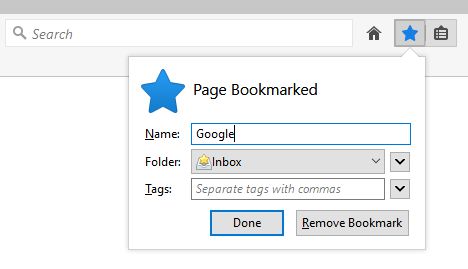
This feature only affects bookmarks added through the built-in Firefox bookmark icon or shortcut (Ctrl+D), through the context menu or via the bookmarks menu.
You can:
Quick bookmark icon:
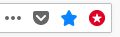
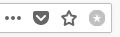
This feature will add a quick bookmark icon in the address bar, to (un)bookmark a page with only one click.
The icon is a round star icon in the address bar.
If the current page is bookmarked, the icon color will change to red.
You can:
Quick bookmarking to folder:
Access this feature via the extension browser action (toolbar icon) or via its dedicated shortcut (Alt+Shift+M).
It will allow you to search and select a specific folder within your bookmarks to quickly bookmark the current page into it.
Known issues
Please refer to the list in the official wiki.
Changelog
Please refer to the full changelog on GitHub.
Support
If you want to report a bug or help with translations, you can open an issue on GitHub. If you do not have an account, you can create one for free.
Features
Firefox built-in bookmarking:
This feature only affects bookmarks added through the built-in Firefox bookmark icon or shortcut (Ctrl+D), through the context menu or via the bookmarks menu.
You can:
- Select where the new bookmarks will be added
- Choose to add the new bookmarks to the top or the bottom of the selected folder
- Choose to add the new bookmarks to the last used folder (by any bookmarking or sorting method)
- Select where the new folders of bookmarked tabs will be added (when bookmarking multiple selected tabs or using "Bookmark All Tabs...")
- Choose to add the new folders of bookmarked tabs to the top or the bottom of the selected folder
- Choose to add the new folders of bookmarked tabs to the last used folder (by any bookmarking or sorting method)
Quick bookmark icon:
This feature will add a quick bookmark icon in the address bar, to (un)bookmark a page with only one click.
The icon is a round star icon in the address bar.
If the current page is bookmarked, the icon color will change to red.
You can:
- Enable the quick bookmark shortcut (Alt+Shift+D)
- Select where the new bookmarks will be added
- Choose to add the new bookmarks to the top or the bottom of the selected folder
- Choose to add the new bookmarks to the last used folder (by any bookmarking or sorting method)
- Choose to show the page as bookmarked (i.e. the icon color changes) only if all the bookmarks of this page are in the folder you selected
- Select the color of the quick bookmark icon (among a list) when the current page is bookmarked (red by default)
Quick bookmarking to folder:
Access this feature via the extension browser action (toolbar icon) or via its dedicated shortcut (Alt+Shift+M).
It will allow you to search and select a specific folder within your bookmarks to quickly bookmark the current page into it.
Known issues
Please refer to the list in the official wiki.
Changelog
Please refer to the full changelog on GitHub.
Support
If you want to report a bug or help with translations, you can open an issue on GitHub. If you do not have an account, you can create one for free.
Valutât 4,5 di 404 recensôrs
Permès e dâts
Altris informazions
- Colegaments component adizionâl
- Version
- 4.0.0
- Dimension
- 576,01 kB
- Ultin inzornament
- 2 éve (2024. ápr. 4.)
- Categoriis coreladis
- Licence
- Licence MIT
- Cronologjie versions
- Zonte ae racuelte