
Peek Pop by Peek Pop
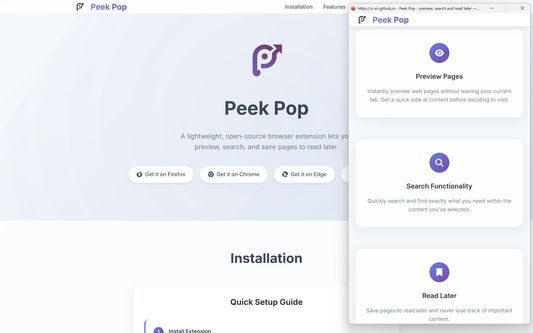
A lightweight, open-source browser extension that lets you preview, search, and save pages to read later.
83 Users83 Users
Extension Metadata
Screenshots
About this extension
Features:
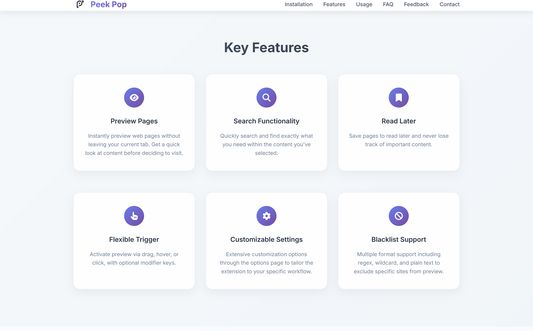
Security and unrestricted: Cross-origin access without any modification.
No repetitive login: No need to log in again when previewing websites.
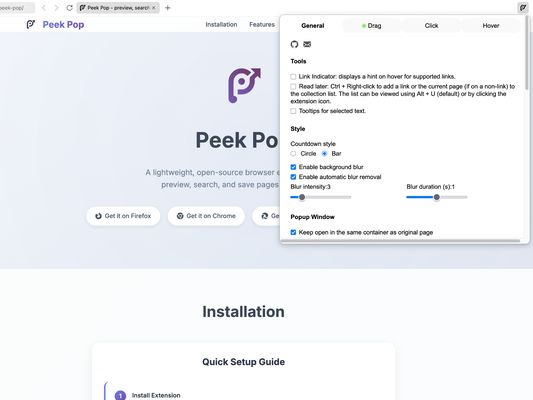
Multiple trigger methods:
- Double click (default)
- Drag
- Hover
- Click
- Hold
- And allows adding modified-key combinations.
Flexible popup operations:
- Close:
-- press
-- clicking the original window
-- scroll on original window
- Send back:
-- Double-click a specified key
-- Select from the right-click menu
-- Click send back button
-- Middle click on blank area
- Shortcut key support: Supports all browser shortcut keys like forward, backward, reading mode, etc. (some shortcuts require the window type to be set to "normal").
Free popup display:
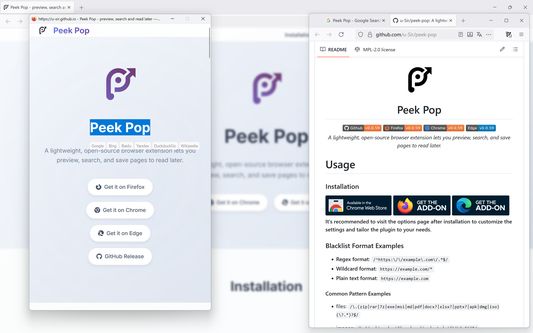
- Customizable background blur effect.
- Popup size and position can be customized and automatically saved, supporting separate records by domain and multi-screen display.
- Supports selecting popup window type.
- Popup buttons: Options to copy the current page URL or send the page back in a 'popup' window.
Blacklist:
- Allows customization for both links and pages.
- Supports blacklist settings in regular expressions, wildcard, and plain text forms.
Supports preview in incognito mode.
Link indicator: Shows an indicator when hovering over a link.
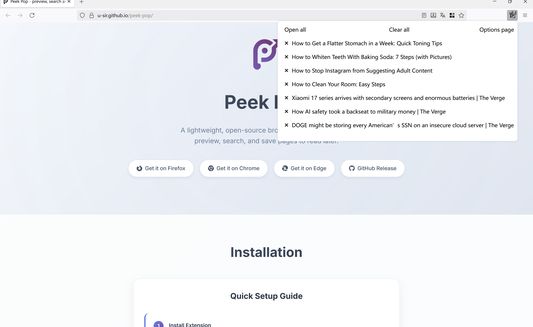
Link Collection:
- Ctrl + Right-click to add a link without container info.
- Alt + U (default) to view the collected links.
Customizable tooltip behavior for selected text search.
Search by image: Option to search by image during drag and hover triggers (not available on DuckDuckGo and Wikipedia).
FAQ
- Is it possible to set a popup always on top?
Due to browser add-on limitations, this can't be done directly by the add-on. However, you can use third-party software like PowerToys to achieve this. Don't forget to uncheck "Close popup when origin window is focused" on the settings page.
Try disabling other add-ons to see if the issue persists. If the problem continues, please create an issue.
Security and unrestricted: Cross-origin access without any modification.
No repetitive login: No need to log in again when previewing websites.
Multiple trigger methods:
- Double click (default)
- Drag
- Hover
- Click
- Hold
- And allows adding modified-key combinations.
Flexible popup operations:
- Close:
-- press
Esc key -- clicking the original window
-- scroll on original window
- Send back:
-- Double-click a specified key
-- Select from the right-click menu
-- Click send back button
-- Middle click on blank area
- Shortcut key support: Supports all browser shortcut keys like forward, backward, reading mode, etc. (some shortcuts require the window type to be set to "normal").
Free popup display:
- Customizable background blur effect.
- Popup size and position can be customized and automatically saved, supporting separate records by domain and multi-screen display.
- Supports selecting popup window type.
- Popup buttons: Options to copy the current page URL or send the page back in a 'popup' window.
Blacklist:
- Allows customization for both links and pages.
- Supports blacklist settings in regular expressions, wildcard, and plain text forms.
Supports preview in incognito mode.
Link indicator: Shows an indicator when hovering over a link.
Link Collection:
- Ctrl + Right-click to add a link without container info.
- Alt + U (default) to view the collected links.
Customizable tooltip behavior for selected text search.
Search by image: Option to search by image during drag and hover triggers (not available on DuckDuckGo and Wikipedia).
FAQ
- Is it possible to set a popup always on top?
Due to browser add-on limitations, this can't be done directly by the add-on. However, you can use third-party software like PowerToys to achieve this. Don't forget to uncheck "Close popup when origin window is focused" on the settings page.
- Why are other actions triggered during preview?
Try disabling other add-ons to see if the issue persists. If the problem continues, please create an issue.
Rated 5 by 7 reviewers
Permissions and data
Required permissions:
- Access browser tabs
- Access your data for all websites
Data collection:
- The developer says this extension doesn't require data collection.
More information
- Add-on Links
- Version
- 0.0.67
- Size
- 78.08 KB
- Last updated
- a day ago (Dec 6, 2025)
- Related Categories
- License
- Mozilla Public License 2.0
- Version History
- Add to collection